Aella
A blazing fast offline grammar checker built with Rust, featuring a sleek desktop app and powerful CLI for developers who write fast and need instant corrections.
Project Overview
Aella is your friendly neighborhood grammar checker, built for speed and simplicity. Named after a Greek warrior, this tool was born from a developer’s real-world need: checking PR descriptions 50+ times a day without the overhead of cloud-based AI tools.
Unlike traditional grammar checkers, Aella works completely offline, is lightning-fast, and preserves your writing tone. Whether you prefer a sleek desktop GUI or command-line power, Aella has you covered with both interfaces sharing the same robust core.
The Problem It Solves
As a developer writing multiple PR descriptions daily, jumping to ChatGPT for quick grammar checks becomes inefficient. You don’t need AI rewrites, you just need to catch that missing apostrophe or comma while typing fast. Aella provides instant, offline corrections that keep your ideas and tone intact.
Workflow example:
# Copy PR description, fix grammar, copy back
echo "$pbpaste" | aella check | pbcopy
Done. No context-switching, no waiting, no cloud dependency.
Key Features
- Real-time Grammar Checks: Catch mistakes as you type in the desktop app
- Markdown Support: Write in your favorite format with full syntax highlighting
- Auto-Save History: Never lose a thought, backed by Turso database
- Search: Find old documents and corrections instantly
- Offline First: No internet required, your data stays local
- Dual Interface: Beautiful iced-based GUI or powerful CLI for scripting
- Batch Processing: Check multiple files at once with the CLI
- Machine-Readable Output: JSON format for integration with other tools
Technologies Used
- Language: Rust (Edition 2021)
- Grammar Engine: harper-core 1.6.0 (offline English grammar checking)
- Desktop Framework: iced 0.14.0 (native cross-platform GUI)
- Database: Turso 0.4.4 (SQLite for history and search)
- CLI Framework: Custom built with Rust’s standard library
- Architecture: Three-crate workspace (aella-core, aella-desktop, aella-cli)
- Async Runtime: Tokio for concurrent operations
CLI Capabilities
The command-line interface is designed for developers who live in the terminal:
# Quick check from stdin
echo "I has a pen. She dont like it." | aella check
# Output: I have a pen. She doesn't like it.

# Check a file with diff view
aella check draft.txt --diff

# JSON output for scripting
aella check document.txt --json

# Batch process markdown files
aella check "*.md" --batch -o corrected/

# Save to history with full content
aella check important.txt --save-content

# Review past corrections
aella history --limit 50
Desktop App Features
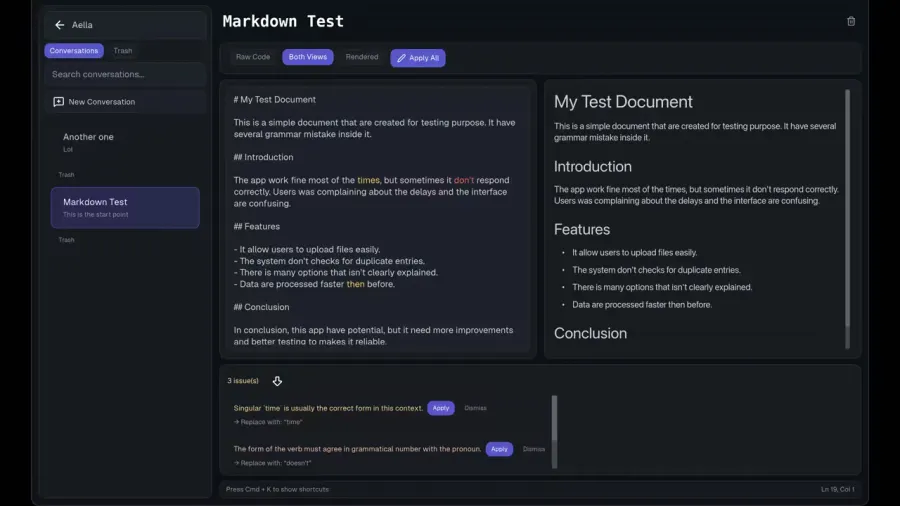
The iced-based GUI provides a premium writing experience:
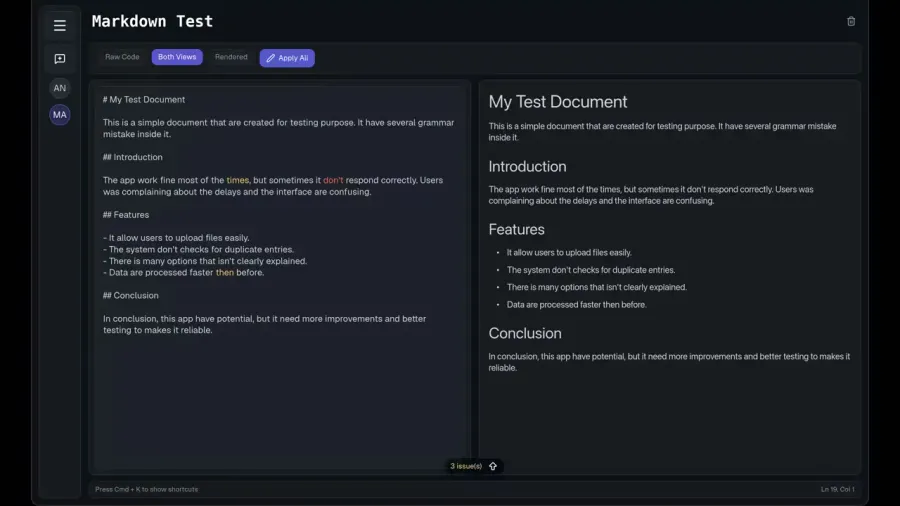
- Live Grammar Checking: Underlines appear as you type
- Markdown Rendering: Preview your formatted text alongside the editor
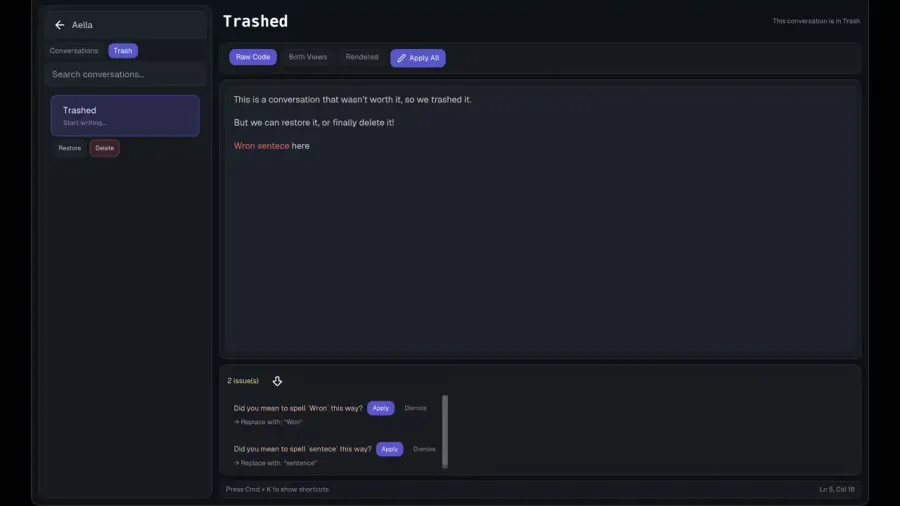
- Document History: Browse and restore previous documents
- Trash Management: Soft-delete with recovery options
- Keyboard Shortcuts: Vim-inspired navigation for power users
- Auto-Save: Never manually save again, everything persists automatically
Getting Started
# Clone the repository
git clone https://github.com/ARKye03/aella.git
cd aella

# Run the desktop app
cargo run -p aella-desktop

# Or use the CLI
cargo run -p aella-cli -- check your-file.txt

# Build for macOS
cargo bundle -p aella-desktop --release
Results
- A production-ready grammar checker used daily in real development workflows
- Sub-second response times for documents up to thousands of words
- Complete offline operation with no privacy concerns
- Shared core library enabling both GUI and CLI with zero code duplication
- Full history tracking with searchable archive of all corrections
- Perfect for developers, writers, and anyone who values speed and privacy